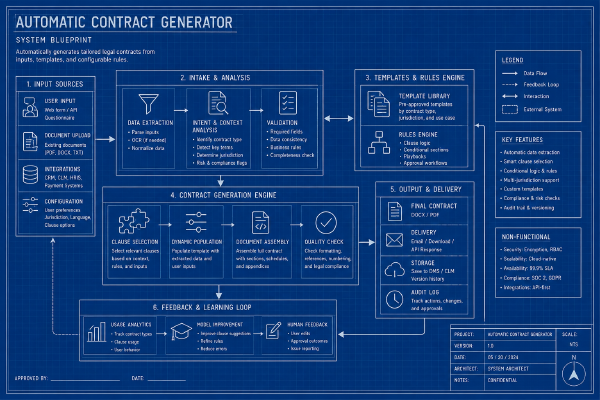
We’ll need a frontend, so that the end user can use the automatic contract generator. On entering, frontend should load all the Trello lists, where all tasks have been completed. If there’s a list with incomplete tasks, then it shouldn’t appear in the options for generating a PDF. User should be able to generate a PDF, and preview the result in the browser.
Today the plan is to hook up our backend to an LLM API. We’ll be using the LLM API to generate a contract as a Word/PDF. To do that, we’ll provide the Trello data, along with a contract template for the LLM API to build our contract.
To re-iterate on what the next 3 steps are in the current plan, it is: 1. A Java program that can call the Trello API. 2. Extend the Java program to call OpenAI’s API. 3. Test the quality of the generated contracts. And today we’re going to be looking making a Java program that can call the Trello API.
Before we begin building the project, we should have a battle plan: What should we name the project, what’s the core issue, etc. At the end of this article, we’ll have a plan for the next steps, that we can follow up on in the next couple of articles.
Mr. J has expressed, that one of the biggest pain points, is having to assemble a contract from the various Trello tasks. For this, we could make an Automatic Contract Generator. If we can get an example of a Trello board and a contract, we should be able to make a solution, that can call the Trello API, collect the data and merge it into a contract.